
ShipLocal - Metadata Studio
Build localized App Store assets, metadata, and workflows with precision. Formerly known as ASC Copilot.
App Store で入手スクリーンショット
説明
ShipLocal - Metadata Studio is a production-focused App Store Connect operations workspace for teams and indie developers who need repeatable localization, metadata delivery, and screenshot marketing pipelines. Formerly known as ASC Copilot, it keeps the same proven workflow with an updated product identity.
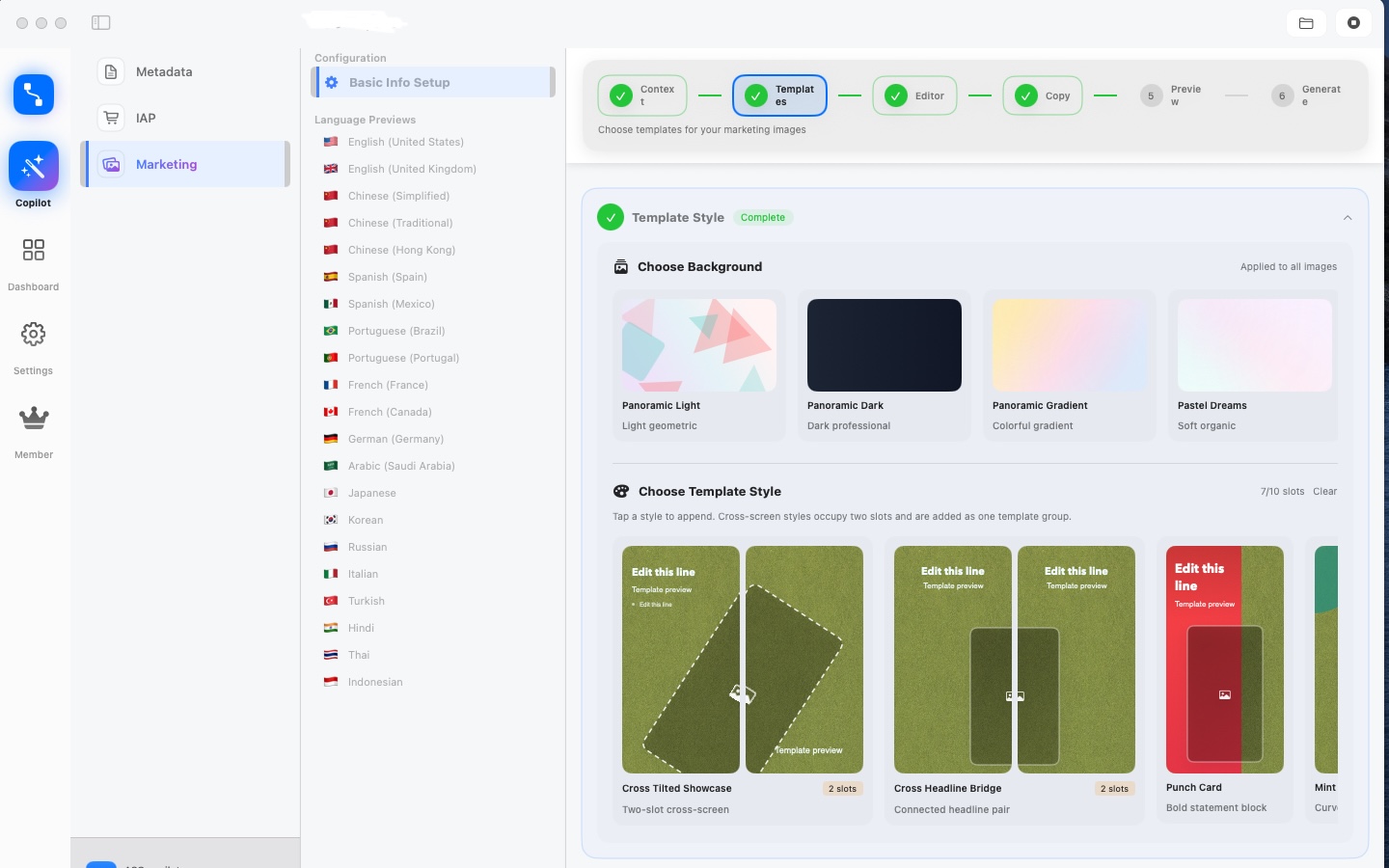
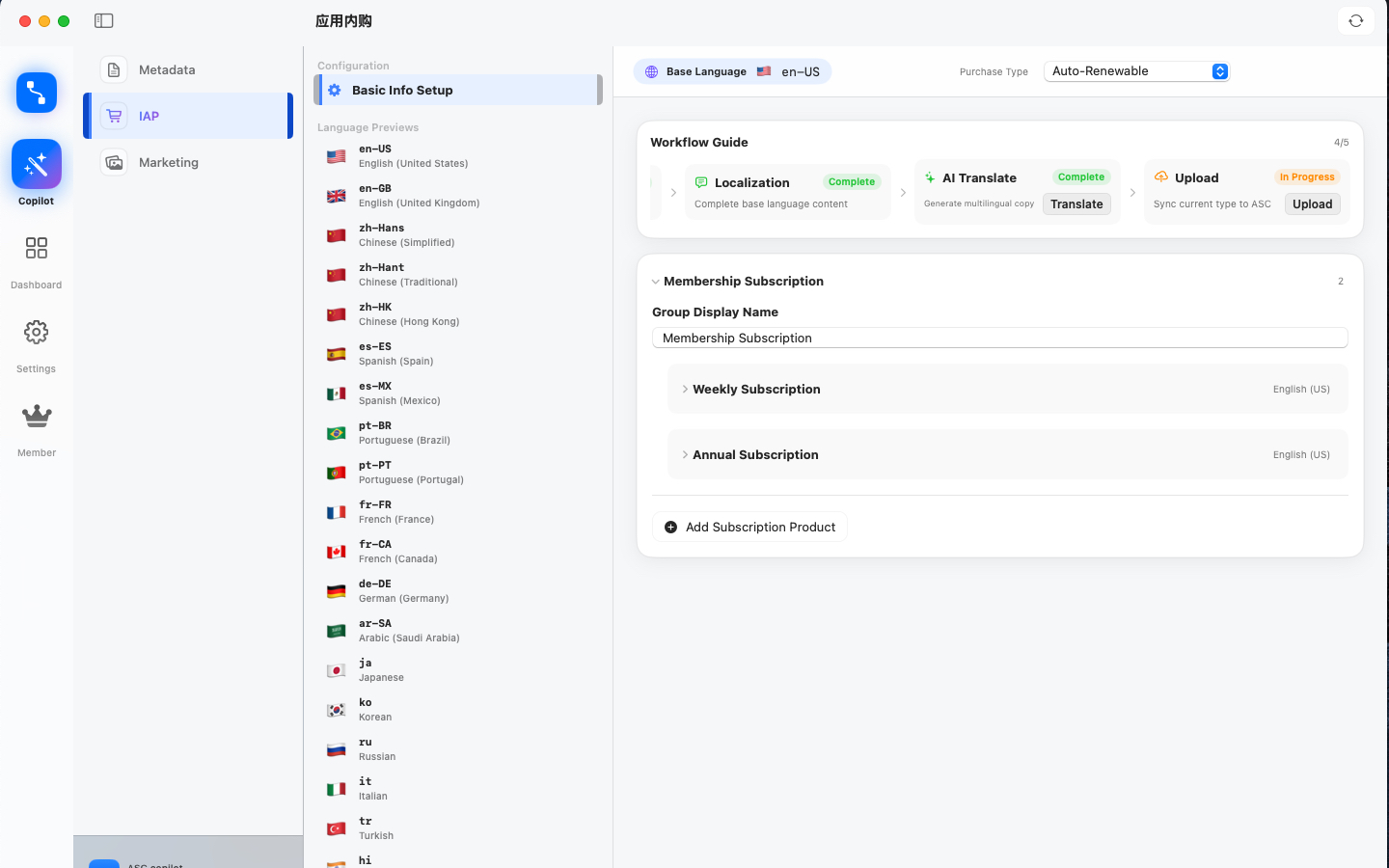
It connects project setup, template orchestration, multilingual copy generation, canvas editing, screenshot rendering, preview, and upload into one consistent workflow. Instead of passing design files and spreadsheets back and forth, product and growth teams can iterate in one place with clear slot-level controls.
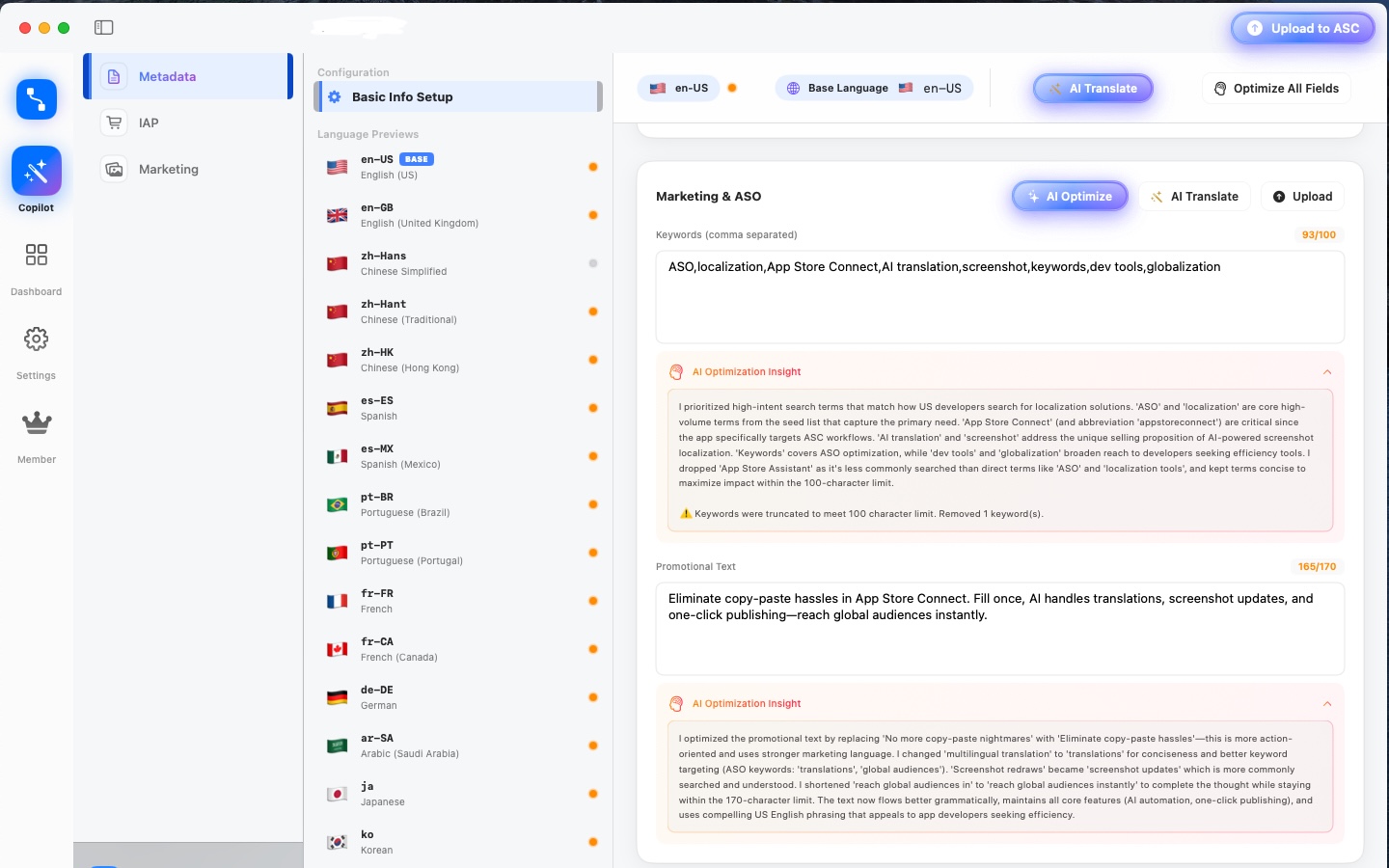
Core capabilities include multi-language metadata management, reusable marketing templates, visual screenshot composition, per-slot text editing, batch language generation, and API-based publishing. The platform is designed to reduce manual operations while keeping final assets reviewable before upload.
ShipLocal - Metadata Studio is built for practical App Store Optimization (ASO) execution. It helps teams keep title, subtitle, feature callouts, and screenshot narratives aligned across locales, which improves listing consistency and shortens launch cycles.
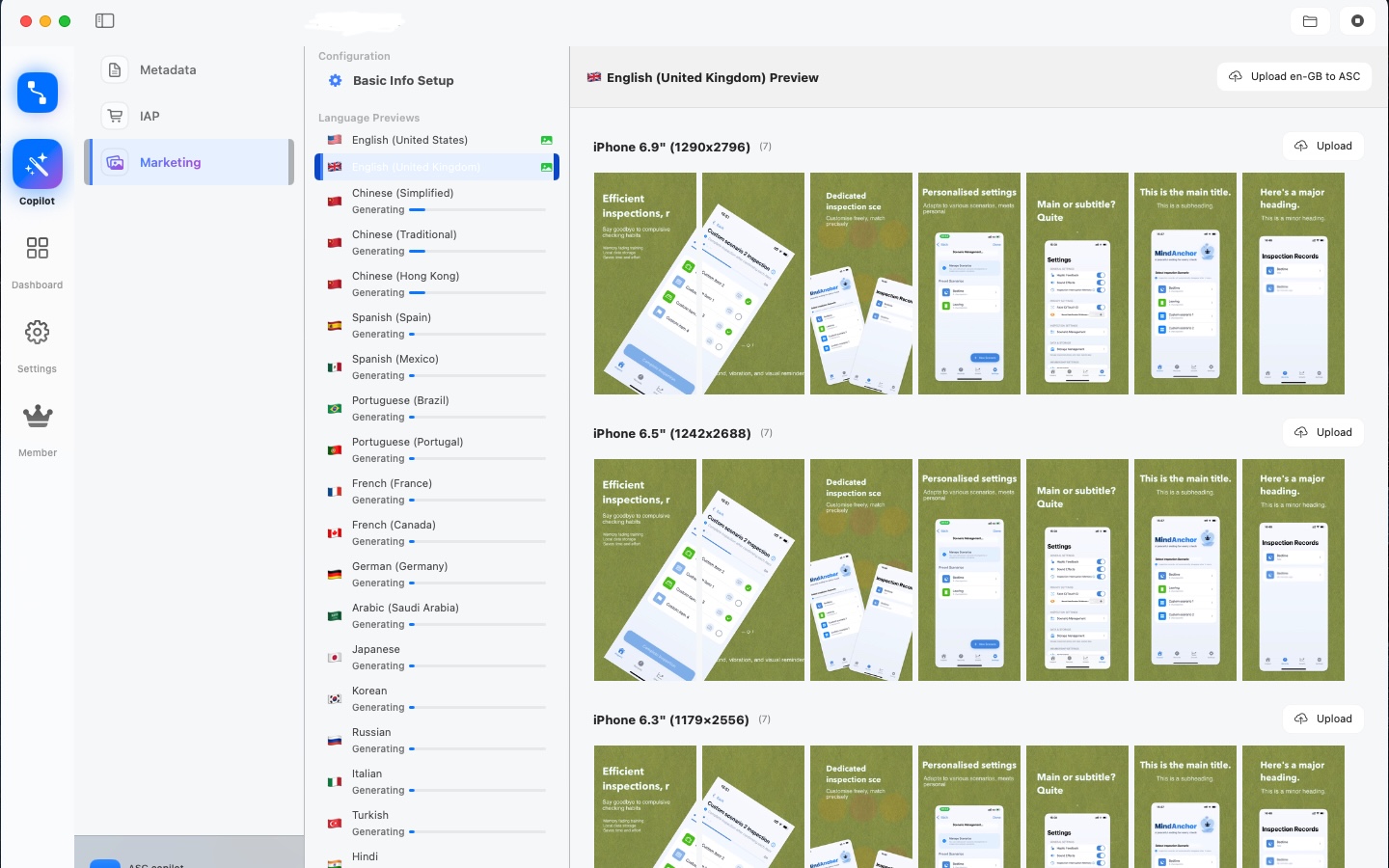
For quality and reliability, the workflow is structured around preview-first validation: edit text, verify layout, compare localized outputs, then publish. This reduces expensive late-stage rework and makes global releases easier to manage.
Typical use cases: preparing launch assets for a new app, updating seasonal campaigns, maintaining 10+ locales with stable copy quality, and running fast iterations when App Store policy or product messaging changes.
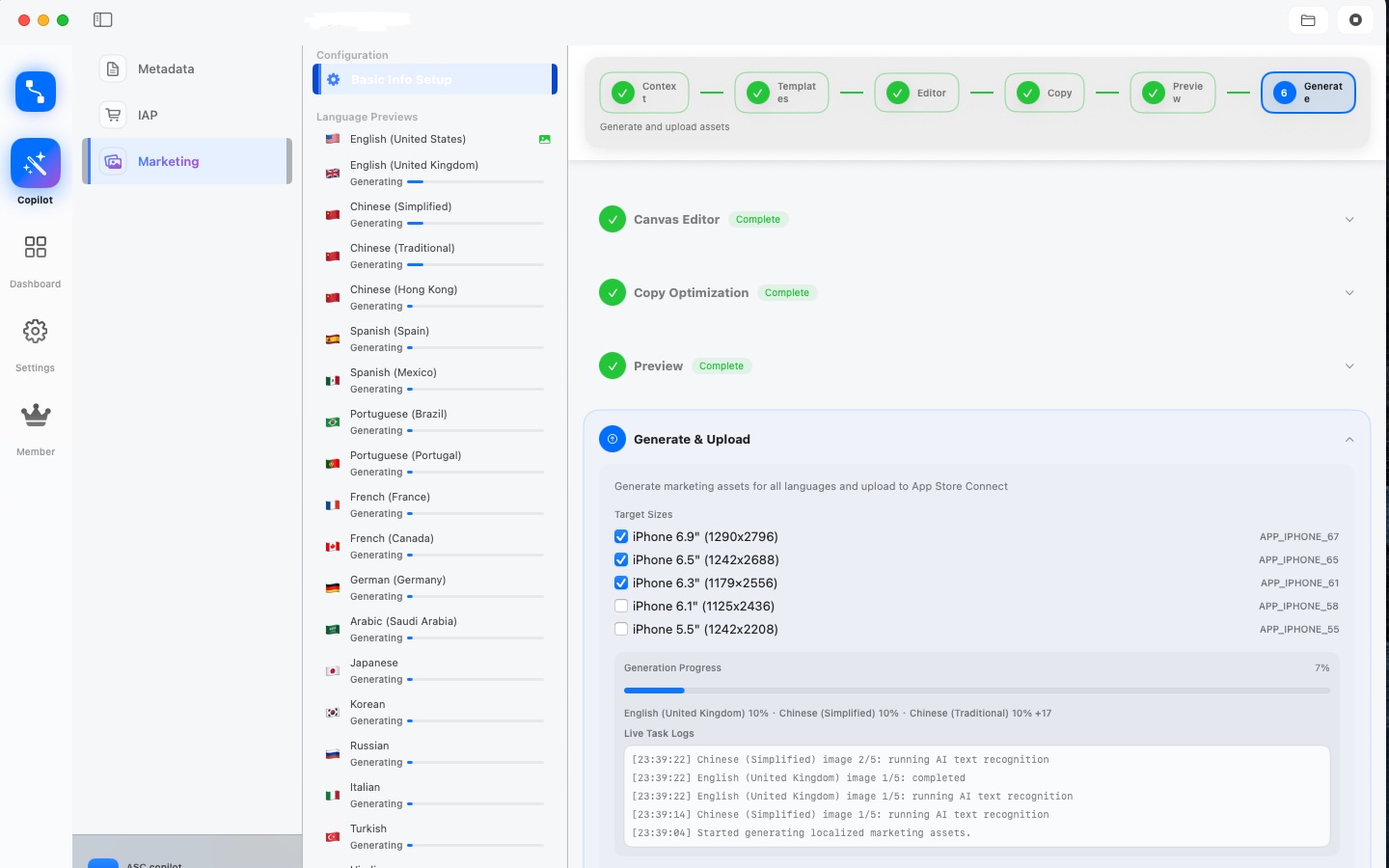
Three-step quick start: import source screenshots, choose and configure templates, then generate and upload localized outputs. ShipLocal - Metadata Studio turns repetitive publishing tasks into a controlled and measurable delivery process.
主な機能
- Structured multi-language metadata workspace for title, subtitle, and locale fields.
- Batch screenshot generation across multiple locales with reusable template orchestration.
- Canvas slot editing with per-text control to avoid cross-template overwrite risks.
- Cross-screen template composition for long narratives with independent keyword callouts.
- Preview-first publishing flow: edit, validate, compare, then upload.
- Language-specific output organization to reduce heavy memory footprint during review.
- Runtime-safe image loading strategy using lightweight thumbnails and on-demand full-resolution assets.
- Automated App Store Connect upload flow with progress visibility and error diagnostics.
- Template-level content governance to keep marketing copy consistent across releases.
- Built for production iteration: quick updates for campaigns, policy changes, and product launches.
4ステップで初期設定
数分で Found It を準備して、最初の「見つけた!」を体験しましょう。
-
Step 1:部屋とコンテナを1つずつ追加
1部屋(キッチン、クローゼット、ガレージ)と1つのコンテナ(箱、引き出し、棚)から始めましょう。ストレージマップはここから広がります。
-
Step 2:アイテムを撮影
写真を撮ると Apple Vision が端末内で名前とカテゴリを提案。BYOM をオンにすればお好みの AI プロバイダで強力な認識が可能。
-
Step 3:場所を割り当てる、または保留
今すぐ部屋とコンテナを指定するか、保留として保存。ホーム画面が後で思い出させます。「先に登録、後で整理」。
-
Step 4:名前・部屋・コンテナで検索
任意のアイテムを検索すれば、最後の保存場所まで一気にジャンプ。リストが育ったら Project Hub で引越し、衣替え、保証、高価値資産を扱えます。
Found It と他の家庭在庫アプリの比較
実際に見つけられるか、入力の速さ、家族共有、プライバシーに焦点を当てた構造化された比較。競合名は挙げません。
| 観点 | Found It | 他の同種アプリ |
|---|---|---|
| Workflow continuity | End-to-end path from template setup to App Store Connect upload in one workspace | Multiple disconnected tools, frequent manual handoffs |
| Localization consistency | Slot-level editing and structured locale fields keep messaging aligned | High risk of locale drift and inconsistent terminology |
| Iteration speed | Reusable templates and batch generation reduce campaign turnaround time | Rebuild-heavy process for every locale update |
| Quality control | Preview-first validation before publishing lowers late-stage rework | Errors often discovered after export or upload |
| Team collaboration | Shared project context for product, design, and growth stakeholders | Context scattered across files and chat threads |
| Operational reliability | On-demand full image loading with lightweight previews improves runtime stability | Large in-memory assets can cause lag during multi-language review |
| Data governance | Clear asset organization and repeatable process for release management | Hard to trace which version and copy were used per locale |
よくある質問
本当に使い続けたい家庭在庫を求める家族や賃貸住まいの方からの質問集。
What does ShipLocal - Metadata Studio automate in App Store Connect?
ShipLocal - Metadata Studio (formerly ASC Copilot) automates localized metadata preparation, screenshot copy workflows, and API-based publishing to reduce manual ASC operations.
How is ShipLocal - Metadata Studio different from other similar products?
The former ASC Copilot workflow remains intact and focuses on production continuity: template orchestration, slot-level editing, preview validation, and one-click ASC delivery in a single workflow.
Can ShipLocal - Metadata Studio improve ASO outcomes for multiple locales?
It supports intent-level keyword optimization and locale-specific copy alignment, helping teams maintain consistent positioning across languages.
Is my API key data uploaded to third-party servers by default?
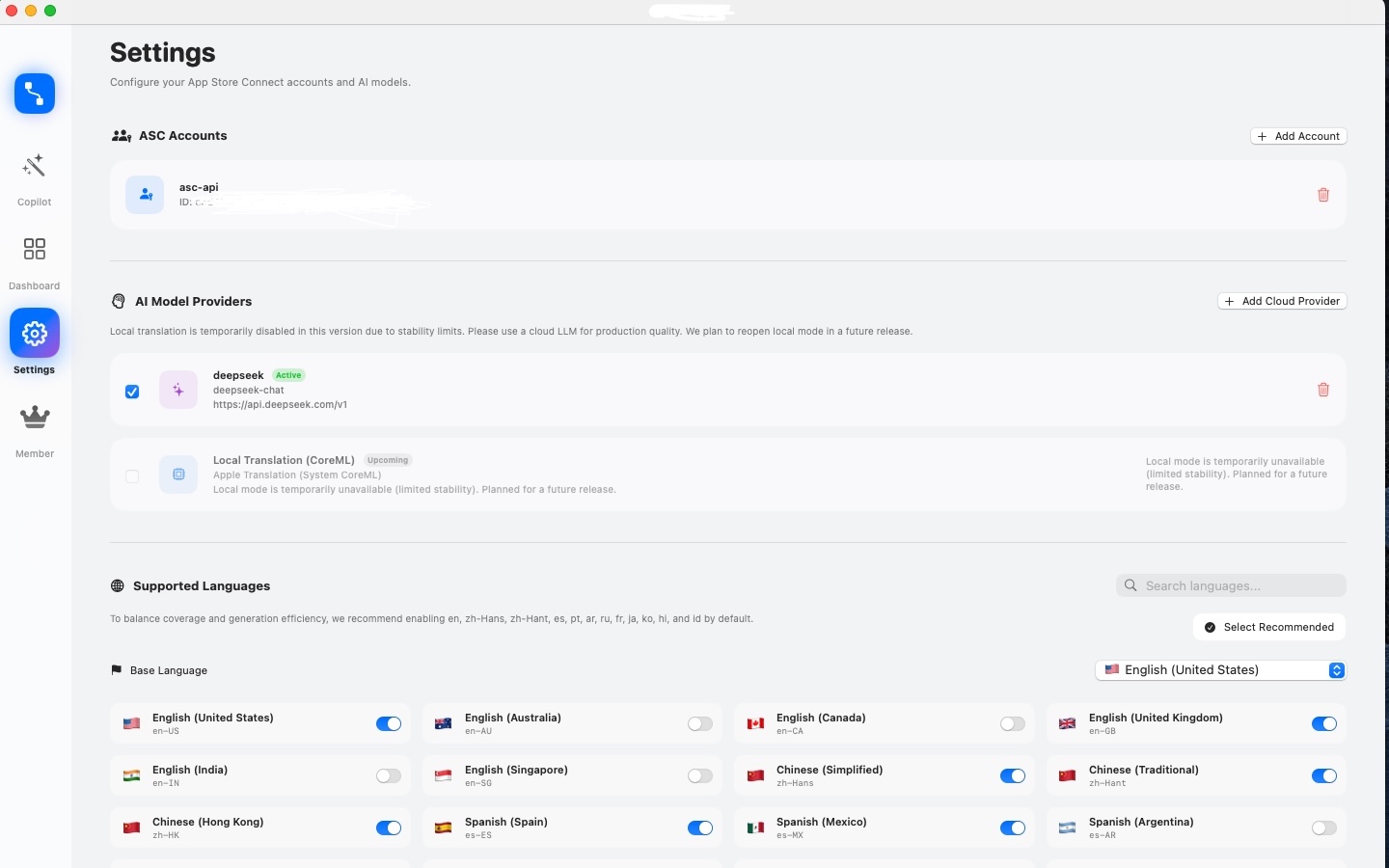
ShipLocal - Metadata Studio supports BYOK workflows where keys can remain under your control in local storage.
Who should use ShipLocal - Metadata Studio first?
It is suitable for indie developers and growth teams managing frequent App Store updates in multiple markets.