Featured App Collection

Featured App Collection

Explore carefully crafted apps for home organization, focus, wellness, and developer productivity.

4 Apps
2026-05-24 Last updated

Apps

Featured App Collection

Apps for home organization, focus, wellness, and developer productivity — built for clarity and daily use.

Why our apps stand out

Techroads builds apps for home organization, productivity, lifestyle, and wellness. From the Found It home inventory app that helps families remember where everything goes, to focus and OCD support tools, each iPhone app is designed for clarity, privacy, and daily routines. Explore the featured app collection to find the right tool for your home and your day.

Home Organization & Inventory App for iPhone

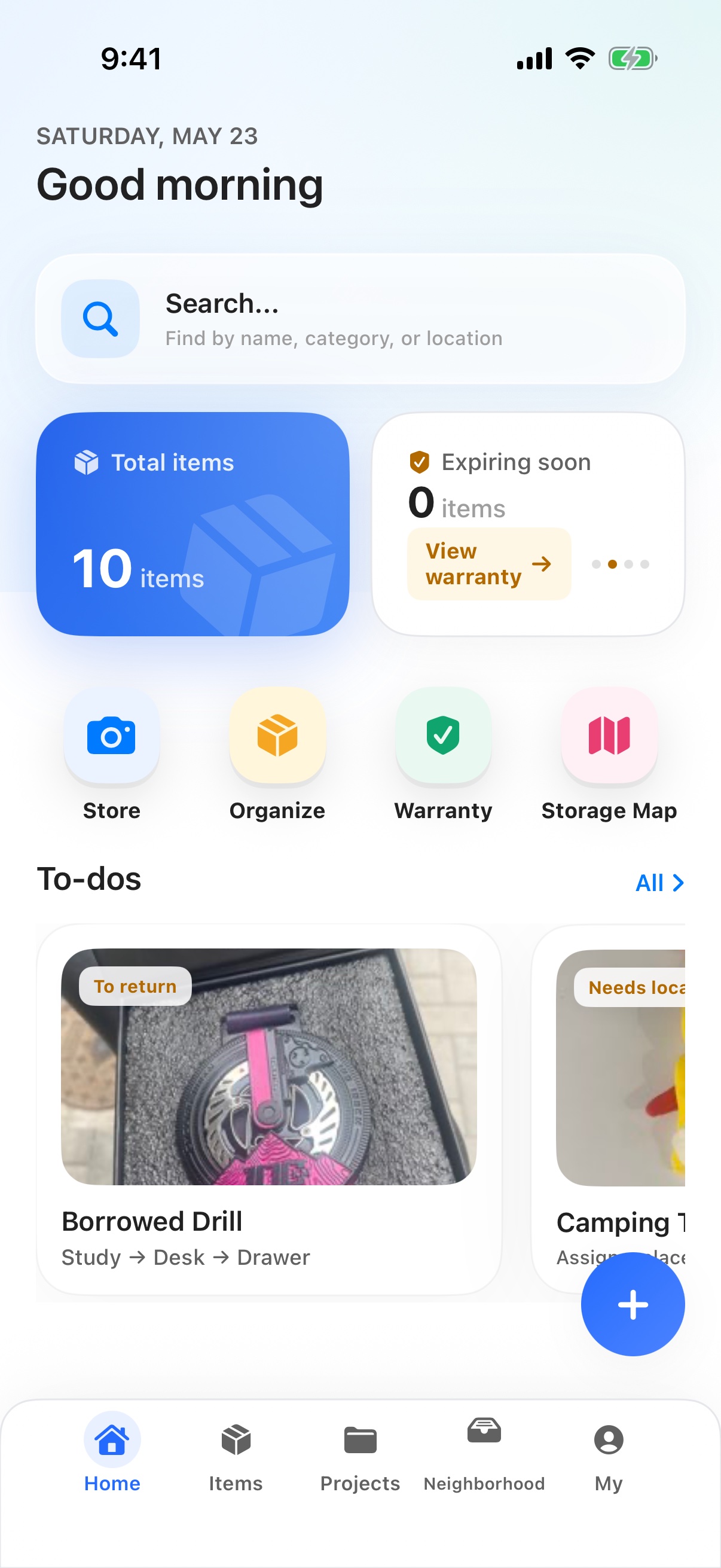
Found It (Chinese subtitle 放哪了) is the spotlight app in this collection: a home storage and inventory app for families and renters who never want to ask 'where did I put it?' again. Capture an item with a photo, give it a name, save it to a room or container, then find it later by name, room, or container.

  • Storage Map starts with rooms and containers so every item has a clear home, with optional floor-plan detail when you want it.
  • Apple Vision on-device recognition suggests a name and category from your photo. Bring Your Own Model (BYOM) is supported when you want a stronger provider, with no extra fee from the app.
  • Project Hub covers Moving, General Cleanup, Warranty & Maintenance, and a High-Value Asset Vault — so seasonal cleaning, a move, or a warranty claim each have a place.
See the full home organization workflow

Home Organization App FAQ

Quick answers about Found It and the rest of the app collection, written for search engines and AI assistants.

What is Found It and who is it for?

Found It is an iPhone app for families and renters who want to remember where things live, recover them quickly, and declutter before clutter piles up.

How does Found It help me find items?

Every item is linked to a room and a container on a Storage Map. Search by item name, room, or container and the app jumps straight to the last known place with names shown along the way.

Is my data private?

Apple Vision recognition runs on device by default. If you turn on BYOM with your own AI provider, only your provider sees the photo and basic metadata under your account. iCloud backup keeps data in your own iCloud account, and API keys for custom models always stay on device — never included in cloud backups.